 Helm PTZ
Helm for streaming
Your studio,
in your hand.
Switch OBS scenes and move every camera from your iPhone, without leaving your seat.
Host and produce at the same time.
A remote for OBS.
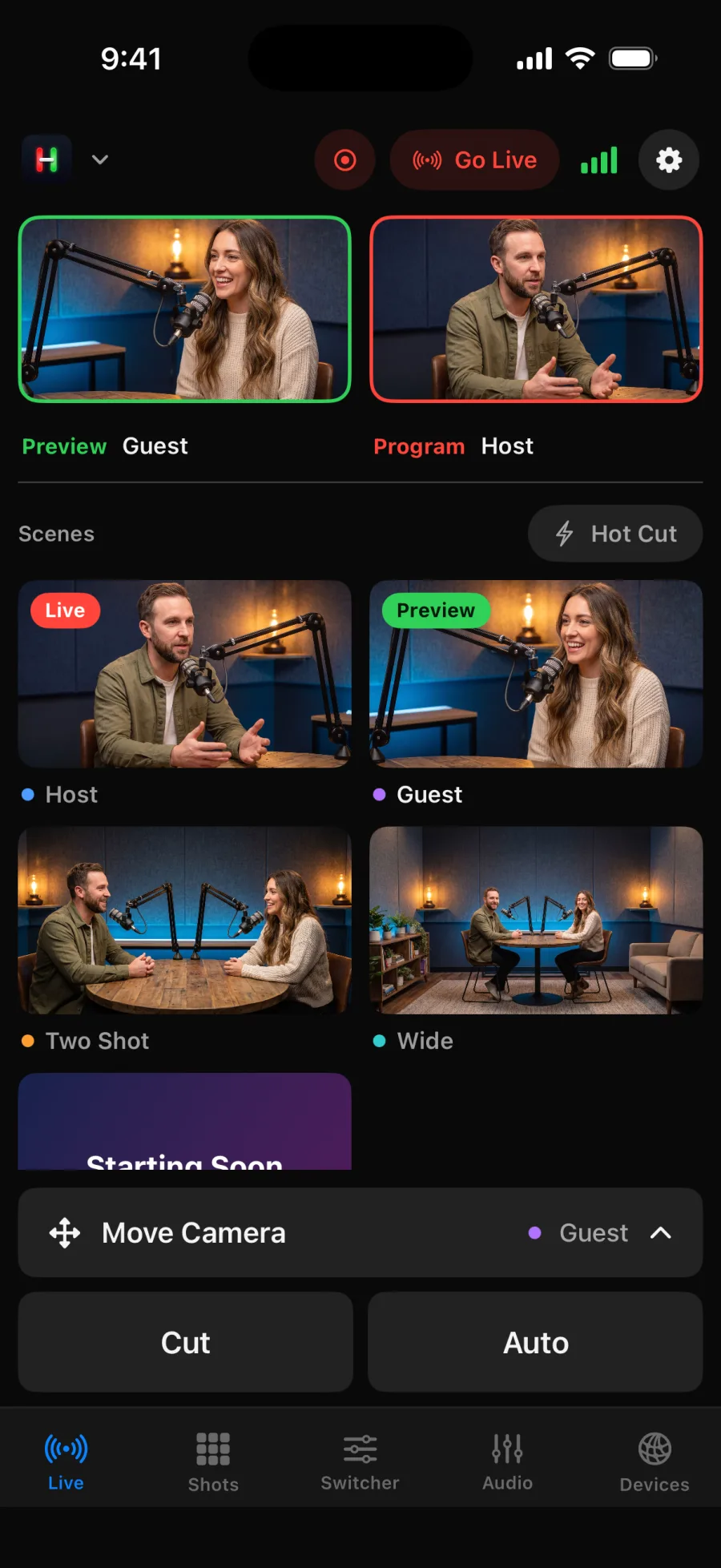
Scan the code in OBS and your scenes appear in Helm. Tap one to switch.
Go live from your phone.
Start the stream and the recording. On iPhone, a Live Activity keeps the timer on your Lock Screen.
NDI® cameras, live.
See each NDI® camera on its button, smooth up to 30 frames per second.
It all fits on iPhone.
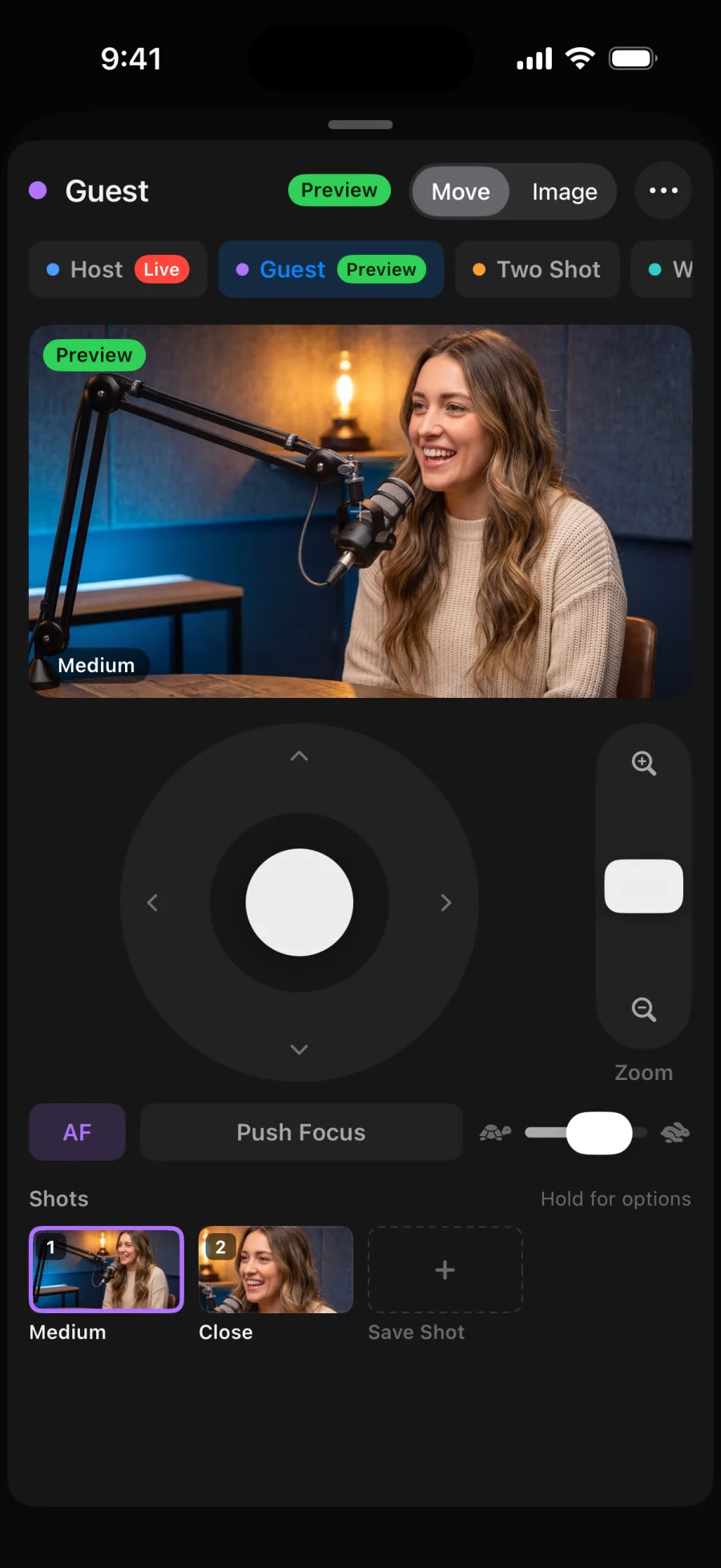
Scenes up top. Camera controls one tap away.
How it works
From setup to sign off.
Connect
In OBS, turn on the WebSocket server and show the connect code. Scan it with Helm.
Frame
Save shots for each host, the guest and the two shot.
Go live
Start streaming from Helm's top bar and switch scenes as you talk.
Wrap
Stop the stream and the recording from your phone.
Gear
Works with what you have.
Two person show
OBS with two NDI® PTZ cameras
Each host gets a camera. Helm switches scenes and moves both.
Solo creator
OBS with one PTZ camera
Save a close, a medium and a wide, and change shots from your phone.
Helm works with ATEM switchers, OBS Studio, and PTZ cameras that use VISCA over IP, ONVIF, Canon IP control or NDI®. See which cameras work
More ways to use Helm


Try it before you go live.
Open Helm and tap Try Demo. Four cameras and a switcher, no hardware needed.