 Helm PTZ
Helm for conferences
Keynotes, panels
and town halls.
Follow every speaker and send the best shot to the stream, from one iPad or Mac.
Polished, without a big crew.
A shot for every seat.
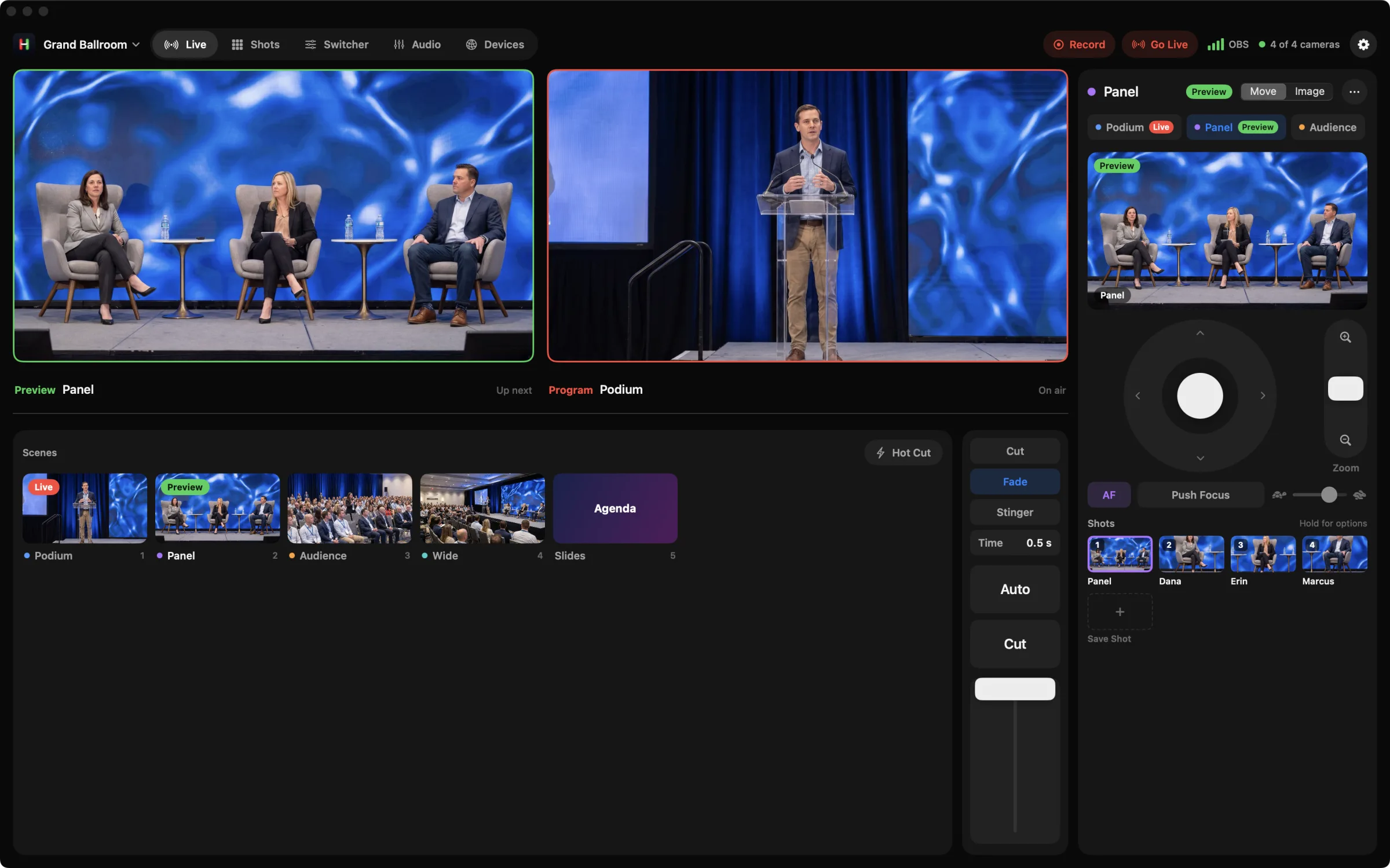
Save the podium, each panelist and the audience mic. Cut to whoever is talking in one tap.
Every room ready.
A Workspace for each stage and breakout room. Open it and your cameras and shots are there.
Easy to hand off.
Clear controls and a built in demo, so a new operator is ready in minutes.
Run the room from a Mac.
Preview, Program and camera controls side by side, with number keys for every source.
How it works
A session, start to finish.
Before doors
Open the room's Workspace. Every camera and shot comes back.
Walk on
Send the podium shot to Preview, then cut as the speaker starts.
Panel
Tap each panelist's shot as they talk. Camera follows Preview, so their controls are ready.
Questions
Cut to the audience mic, then back to the stage.
Gear
Works with what you have.
Ballroom
ATEM switcher with three or four PTZ cameras
Podium, panel, wide and audience. Helm runs the cameras and switcher together.
Breakout room
OBS with two NDI® PTZ cameras
A laptop streams the session while Helm handles the shots.
Helm works with ATEM switchers, OBS Studio, and PTZ cameras that use VISCA over IP, ONVIF, Canon IP control or NDI®. See which cameras work
More ways to use Helm
Try it before the keynote.
Open Helm and tap Try Demo. Four cameras and a switcher, no hardware needed.